Send and receive SMS messages with Uniden Voice — conversations are grouped like on your mobile and can be viewed across multiple devices.
There are two ways to SMS: one-way (send only, using a Sender ID name) and two-way (send and receive, using a mobile number on your account).
¶ Pricing and limits
| Item | Detail |
|---|---|
| Outbound SMS | $0.10 per SMS |
| Inbound SMS | No charge |
| Mobile number (for two-way SMS) | $10.00 per month per number |
| Message length | 160 characters for a plain-text SMS (153 per part once it splits). With special characters — including @ — the limit is 70 characters (66 per part once it splits). |
Longer messages are split into parts, and each part is charged at $0.10. Emoji, accented letters, and the curly quotes or long dashes some keyboards insert automatically all drop a message to the 70-character limit — and so does a single @. A 140-character message containing an email address is sent and charged as 3 SMS; the same message without the @ is 1.
¶ Send one-way SMS (send only)
One-way SMS is available to everyone, even without a mobile number on your account. It sends a no-reply SMS showing a custom display name — for example, your business name. Recipients see your name but cannot reply.
You need an approved Sender ID before you can send.
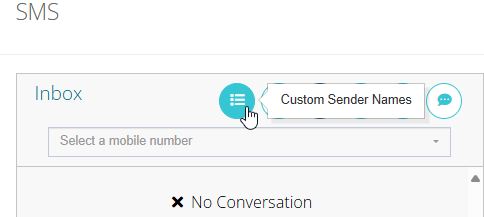
- Click Customer Sender Names.
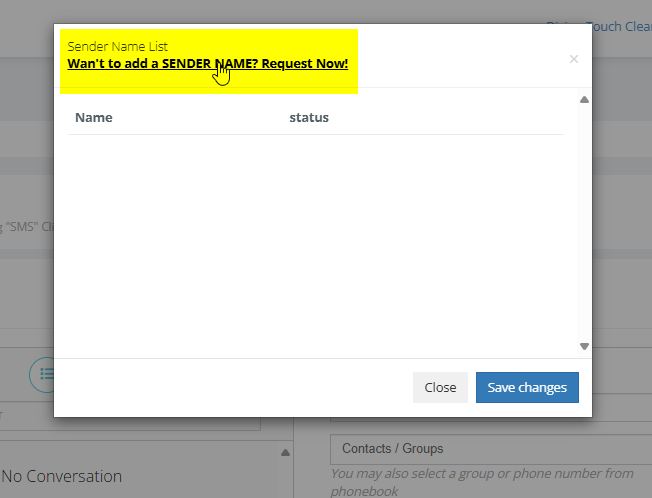
- Click Want to add a SENDER NAME? Request now!
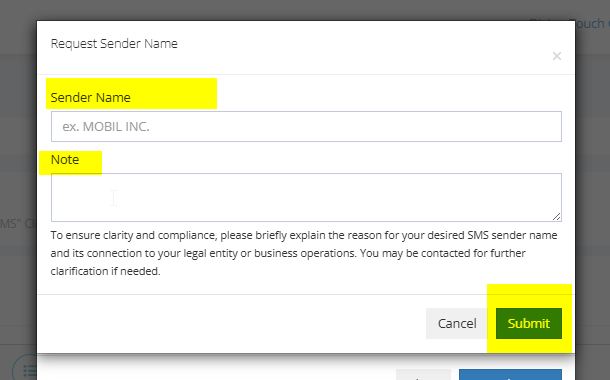
- Enter your Sender ID. Once it has been approved by our team, you can send SMS from that ID.
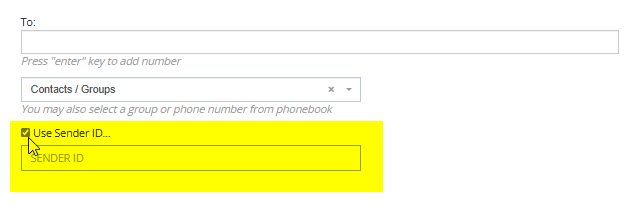
- Start a new SMS and select your Sender ID from the dropdown list.
¶ Two-way SMS (send and receive)
Two-way SMS requires a mobile number on your account. Mobile numbers cost $10.00 per month per number and are added on the Numbers page — the same number can also make and receive calls.
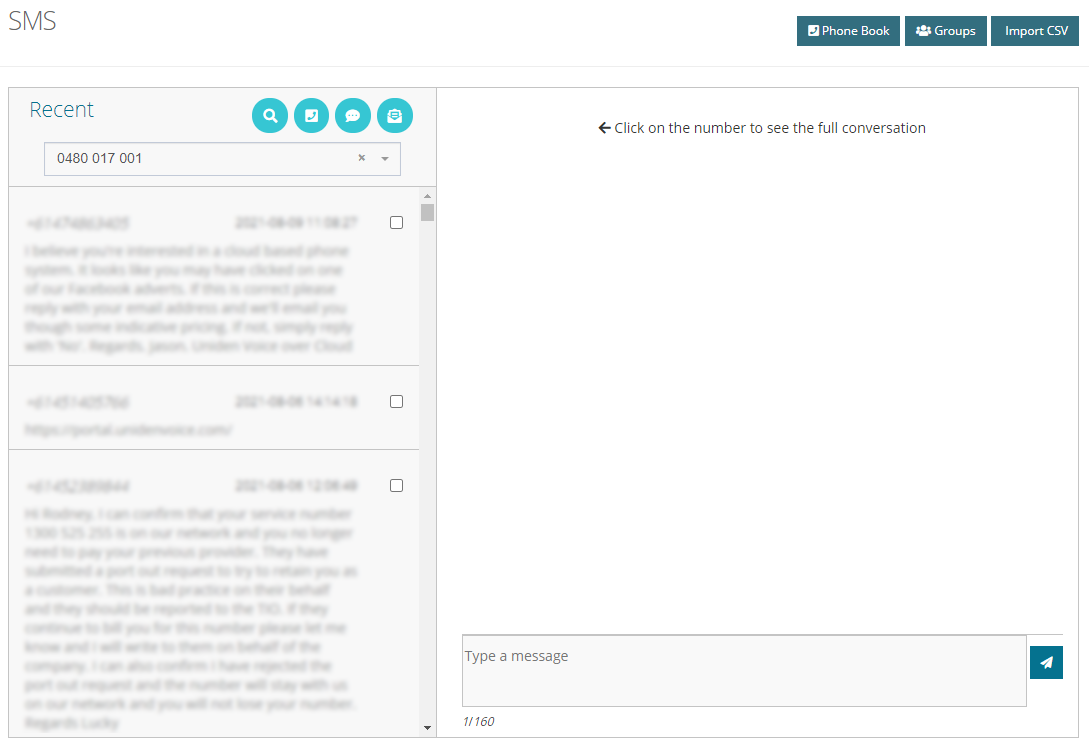
Once a mobile number is applied to your account, it appears in the dropdown menu when you start a new SMS. If you have multiple mobile numbers, they all appear here.
¶ Give a user or extension SMS access in the mobile app
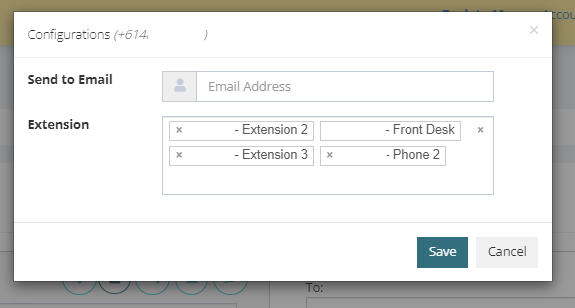
SMS can also be sent and received through the VocPhone mobile app — only if you have a mobile number on your account. You can add several extensions/users to the one mobile number and view the SMS conversations on each of those devices. You can also set up email notifications here, which send a snippet of the SMS conversation to your email.
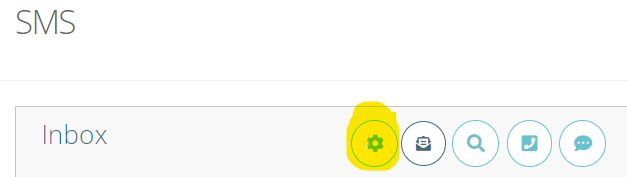
- Click the cog (sprocket) next to the number and add the extension/user you wish to allocate the number to.
- Enter an email address to receive SMS notifications.
¶ Custom Sender ID name
A Sender ID name lets you send SMS without displaying a mobile number as the sender — the recipient sees a name instead, usually your company name or brand.
Use a Sender ID name when:
- You have no mobile number on the account — you can still send SMS with a professional, recognisable sender identity.
- You want your company or brand shown as the sender — recipients can easily identify the message's origin, which builds trust.
This is particularly useful for marketing, notifications, and transactional messages where brand recognition matters.
¶ Send with a Sender ID name in Portal Go SMS
- Log in to the Portal Go SMS platform.
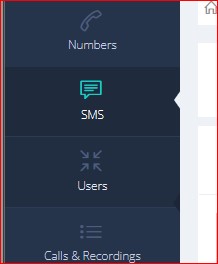
- Click the Message icon.
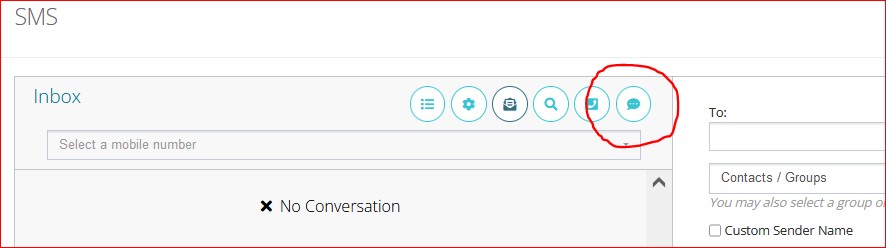
- Tick the checkbox to select your Sender ID name from the list.
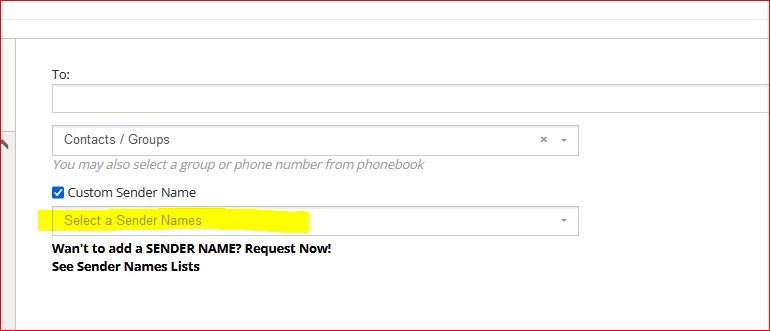
- Type your message in the message box, then click Send.
¶ Apply for a Sender ID name
If you do not already have a Sender ID name:
- Click Want to add a SENDER NAME? Request Now!
- Submit your request for approval.
- Once approved, select the Sender ID name when sending SMS.
The following are not allowed as Sender ID names:
- Phone or mobile numbers.
- The name of a person not associated with the account.
- The name of a company not related to the account.