Manage the phone numbers on your Uniden Voice account — add or port numbers, set your primary number, and control how each number routes calls.
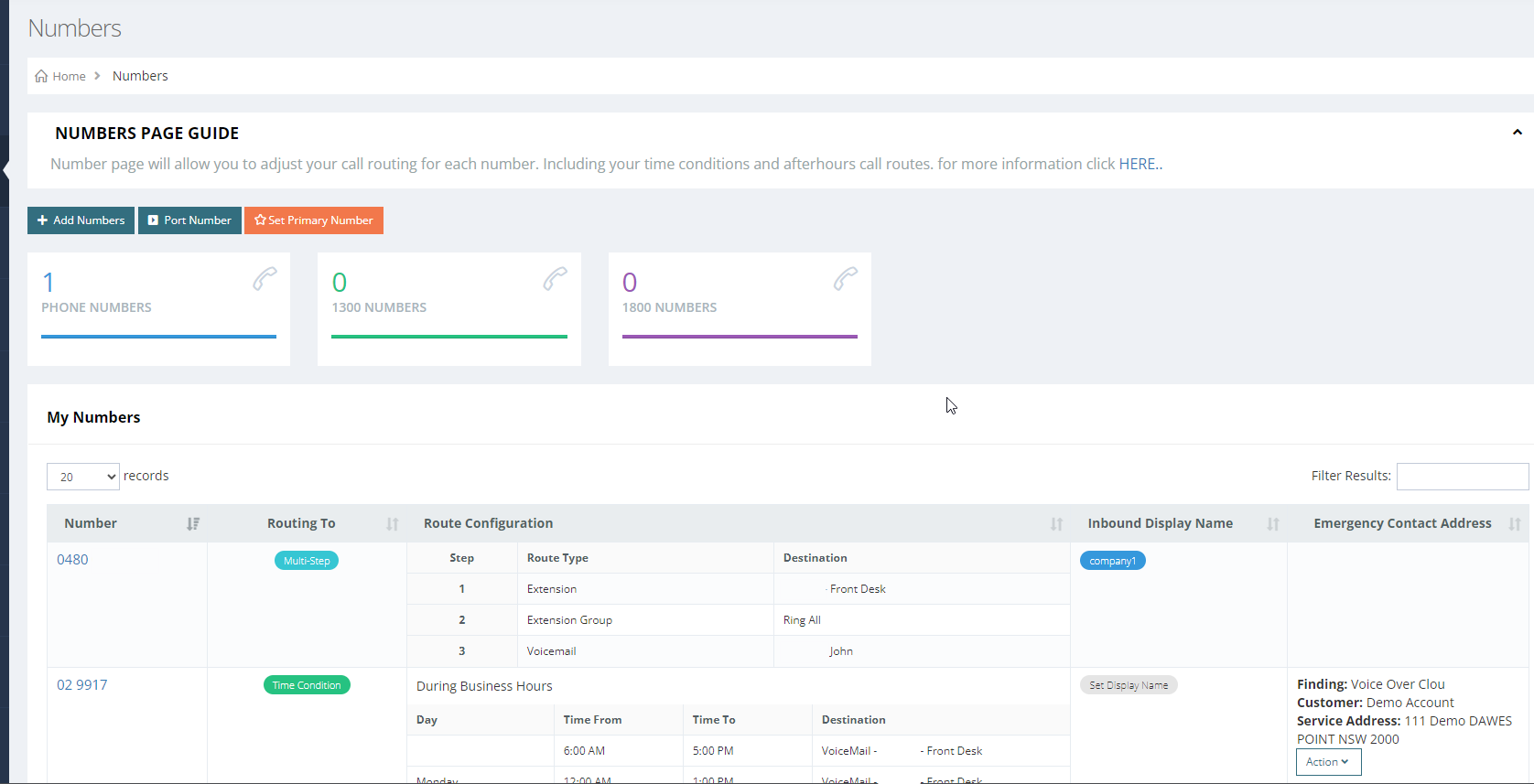
The Numbers page lists every number on your account with an overview of how each one is set up.
A number's route only sets where a call goes first. If step 1 is an IVR there are no further steps and no Add Step button — change what each keypress does in Tools / Setup → Interactive Voice Response. See Send every menu option to your mobile.
¶ Add a number
-
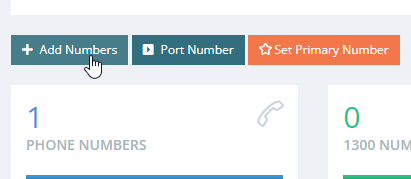
On the Numbers page, click Add Number.
-
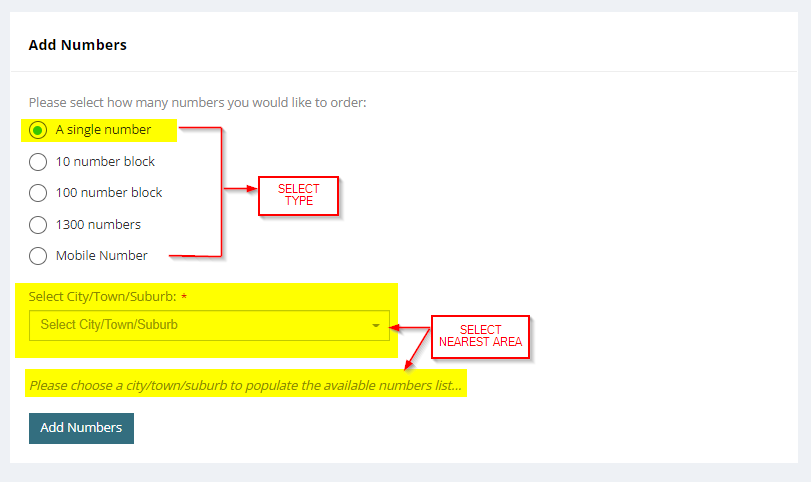
Choose the type of number to add:
Type Description Single number or block One local number, or a block purchase 1300 / 1800 Inbound business numbers Mobile Mobile numbers -
Select the nearest area to list the numbers available there, then pick one.
-
Confirm the purchase. The number appears on your account instantly and is ready for a call route.
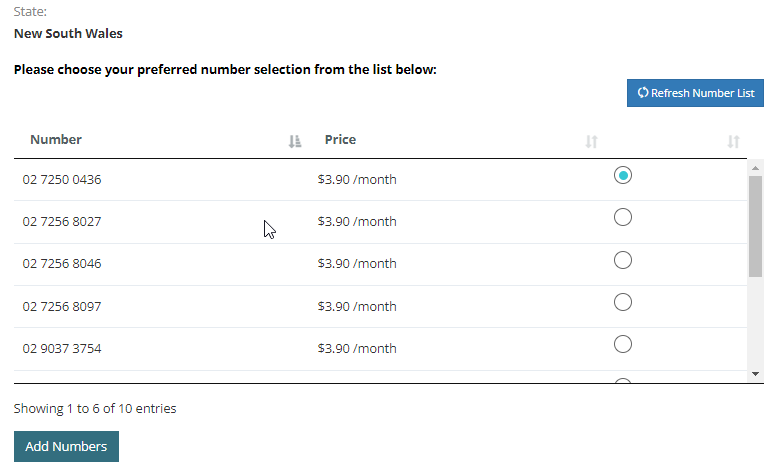
If you have unused free numbers on your account, adding a number does not charge your account.
¶ Port an existing number
-
On the Numbers page, click Port Number.
-
Fill out the form. You need the latest phone bill from your current carrier.
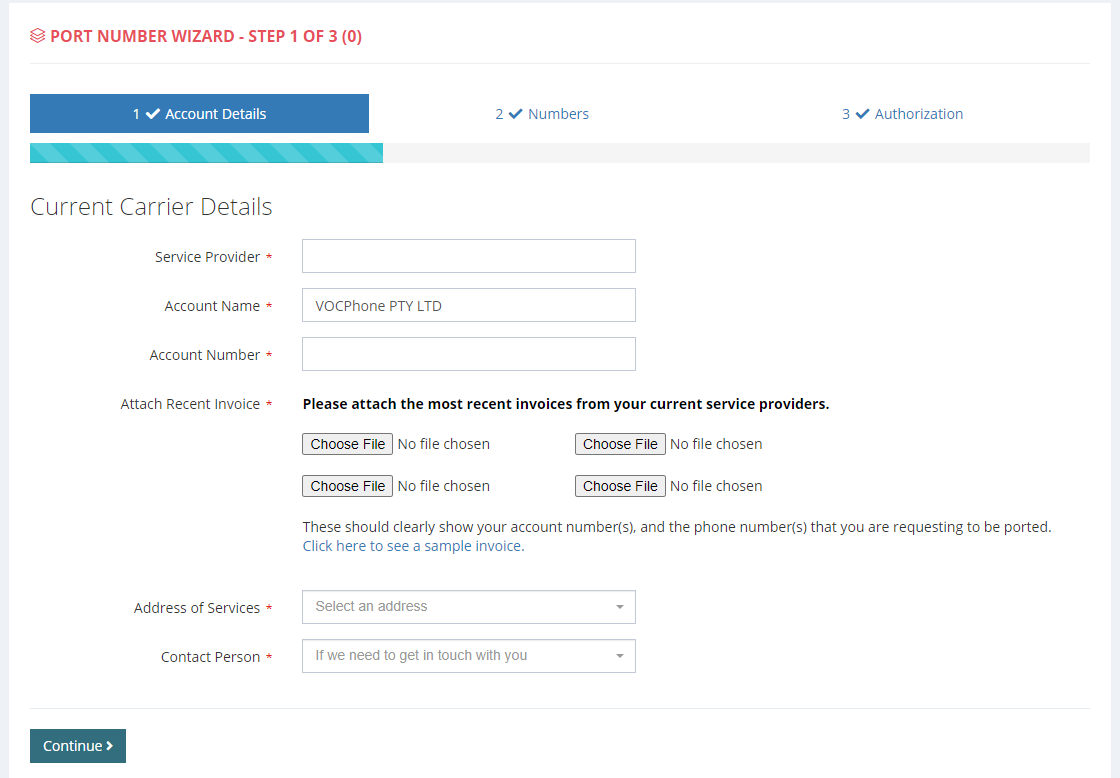
Once the request is submitted, our support team handles the port from start to finish. Ports typically complete in 4–7 business days, but can take 2–3 weeks depending on the request.
Your bill must show both your account number and the service number you want to port. If it doesn't, provide a screenshot proving you own the number.
Can I use my account while my number is being ported? Yes. Your account gets a generated number, so you can divert your current number to it and be up and running with no downtime.
Can I use my current number as my caller ID? Yes. Once the port request is submitted, outbound calls can show the number being ported as your caller ID.
To port a mobile number, see Porting mobile numbers.
¶ Set your primary number
Click Set Primary Number to choose a primary number for your account — this is your business's emergency contact number.
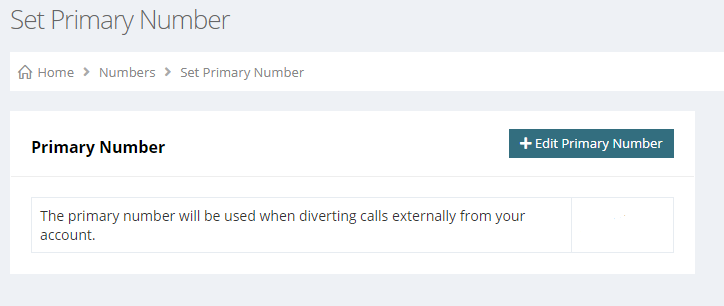
The primary number is shown to emergency services when anyone on your system calls 000.
¶ Set a number's route
Once a number is on your account, decide how it should answer:
- 24/7 route — the same call flow at all times. See Call routes.
- Time conditions — different behaviour inside and outside business hours, with public holidays handled automatically. See Business hours and time conditions.
The destinations a route points to are configured under Tools / Setup: IVR, call groups, queues, announcements. If a number never rings, see Troubleshooting incoming calls.