A call group rings every member's phone at once when someone dials the group's extension — use it for simple "ring the whole team" setups.
For anything beyond ringing everyone at once — waiting callers, hold music, ring strategies, or reporting — use Call Queues instead. Queues offer better call handling and visibility.
¶ How a group works
Each group has a User # — an internal extension number. Dial it to ring all members simultaneously; the first to answer takes the call. Example: put Jim, Sara, and Bobby in a "Sales" group, and dialling the Sales extension rings all three phones.
The call time-out for a call group is fixed at 60 seconds and cannot be changed.
¶ Add or edit a group
Go to Tools / Setup → Call Groups.
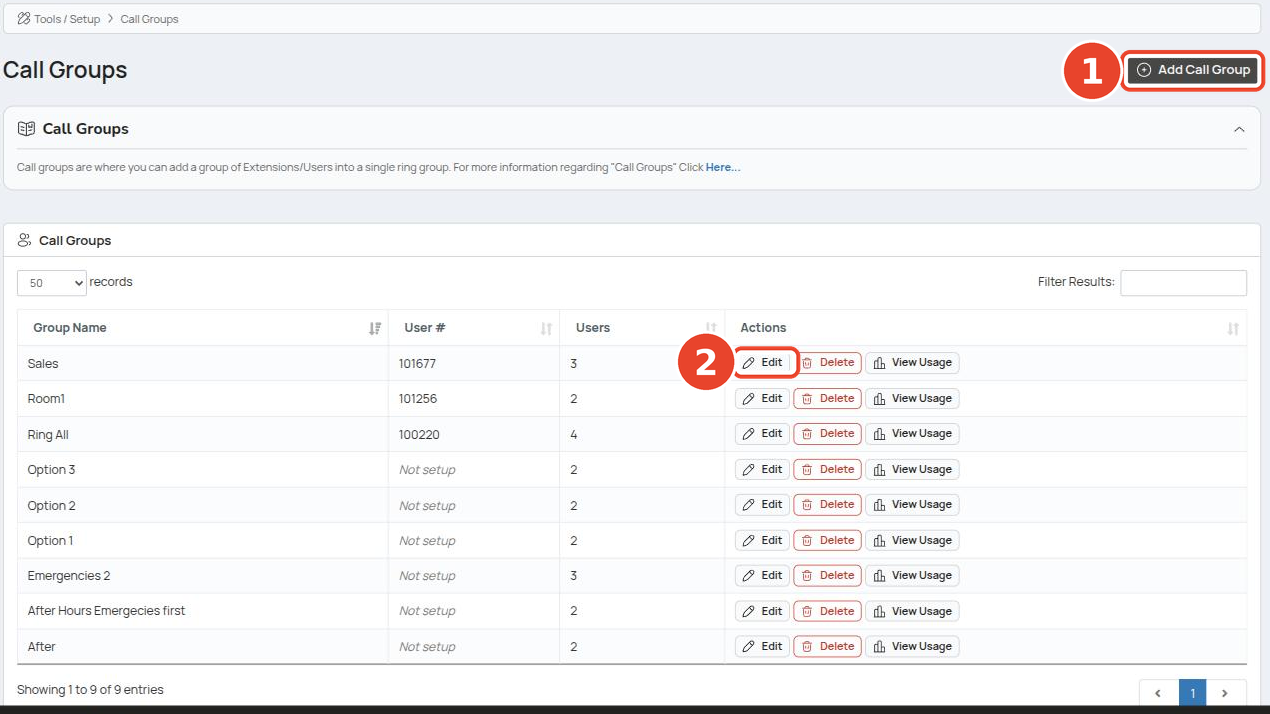
- Click Add Call Group, or
- Click Edit on an existing group.
The list shows each group's name, its User # (internal extension), and member count.
¶ Group settings
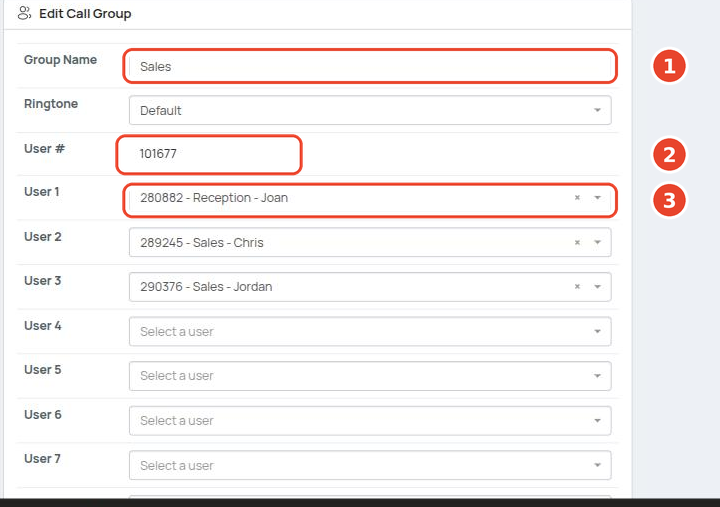
- Enter a Group Name.
- Note the User # — the internal extension callers dial to reach the group.
- Select members in the User 1 to User 16 dropdowns.
- Click Save Changes.
| Field | What it does |
|---|---|
| Group Name | Label shown in the group list |
| Ringtone | Ringtone played on member phones for group calls |
| User # | Internal extension for the group — dial it to ring all members; can be added to BLF phone keys |
| User 1–16 | Group members, up to 16 |
Giving the group its own internal extension (User #) is optional — add one when you want to dial the group directly or put it on a BLF key.
Add the group's User # to a BLF phone key for one-touch dialling.