Create roles that control exactly which parts of the portal each user can see, then assign those roles to your users.
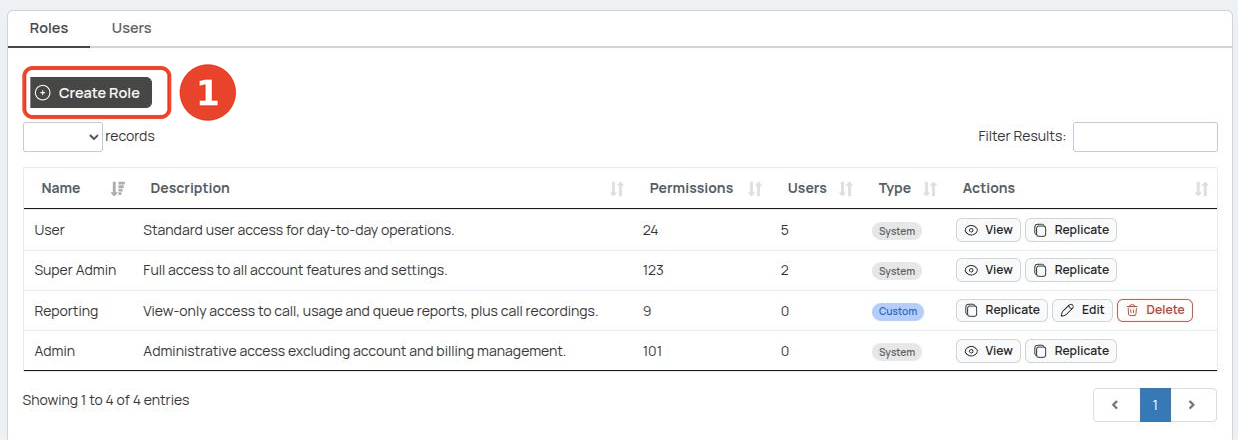
Only a super-admin can open this screen. Find it in the sidebar under Users → Roles & Permissions. It has two tabs: Roles and Users.
| Concept | What it means |
|---|---|
| Role | A named bundle of permissions. |
| Multiple roles | A user can hold more than one role; their access is the combination. |
| System roles | Super Admin, Admin and User are built in. They can't be edited or deleted. |
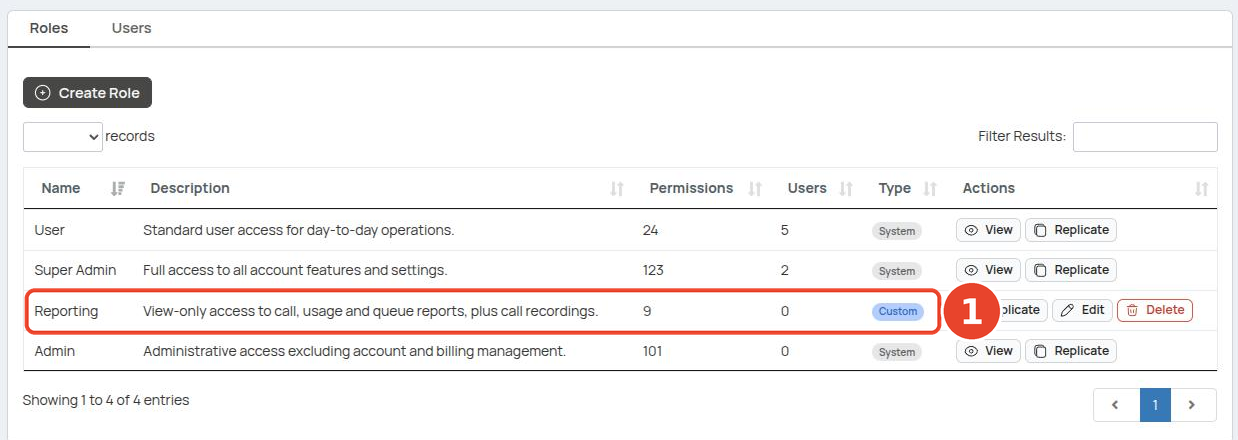
| Custom roles | Roles you create. Marked Custom; can be edited or deleted. |
| Scope | Each permission applies to Own (their data), Group (their group) or All (the whole account). Default is All. |
Every role needs Dashboard → View. Without it, the user has no dashboard to land on at sign-in — the portal sends them to the first page they can access, or shows a "Forbidden" page if they can access nothing.
¶ Built-in roles
Three roles come with every account. Use them as-is, or build a custom role when you need something in between.
| Role | Access |
|---|---|
| Super Admin | Full access to all account features and settings, including Roles & Permissions. |
| Admin | Administrative access, excluding account and billing management. |
| User | Standard access for day-to-day operations. |
Give each user the least access they need — most people only need the built-in User role. Build a custom role, like the Reporting one below, when a user needs a specific slice of the portal.
¶ Create a role
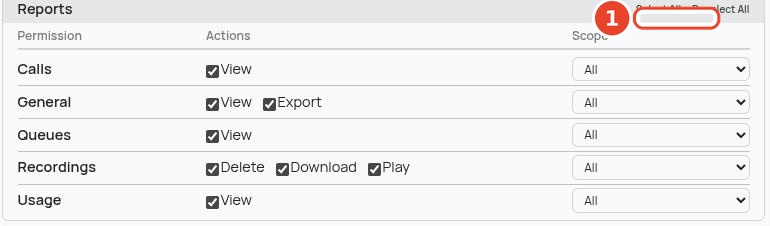
The example below builds a Reporting role with view-only access to all reports.
- Open Users → Roles & Permissions and stay on the Roles tab.
-
Click Create Role.
-
Enter the Role Name (e.g.
Reporting) and an optional description.
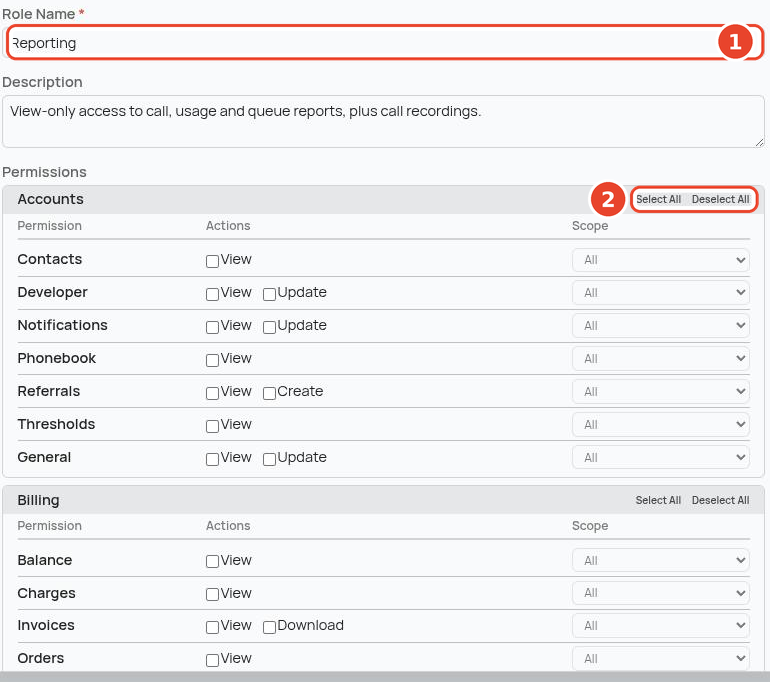
- In the Dashboard group, tick View — this is what lets the user log in and land on the dashboard.

- In the Reports group, click Select All to grant every reporting option.
- Click Save Role. The role appears in the list marked Custom with its permission count.
Granting a higher action includes the lower ones — Update includes View, and Download or Play includes View.
¶ Assign the role to a user
-
Switch to the Users tab.
-
Find the user and click Manage Roles.
-
Tick Reporting — untick User if you want reporting-only access — then click Save Roles.
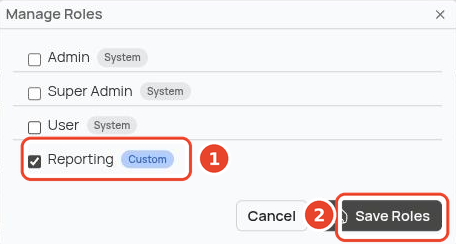
- The user now shows the Reporting badge.

¶ What the user sees
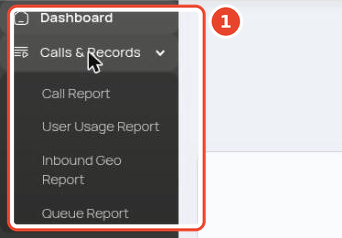
After signing in, the reporting user's sidebar is short: Dashboard and Calls & Records only (Call Report, User Usage Report, Inbound Geo Report and Queue Report). Everything else — Numbers, SMS, Users, Tools, Billing and the rest — is hidden because the role doesn't grant it.
¶ Guardrails
| Rule | Detail |
|---|---|
| System roles are fixed | Super Admin, Admin and User can't be edited or deleted. |
| Roles in use can't be deleted | Reassign the role's users first. |
| No self-editing | You can't change your own role assignments. |
| Last super-admin stays | The last super-admin on an account can't be removed. |