Choose which of your numbers shows as your caller ID when you call from the VocPhone mobile app.
-
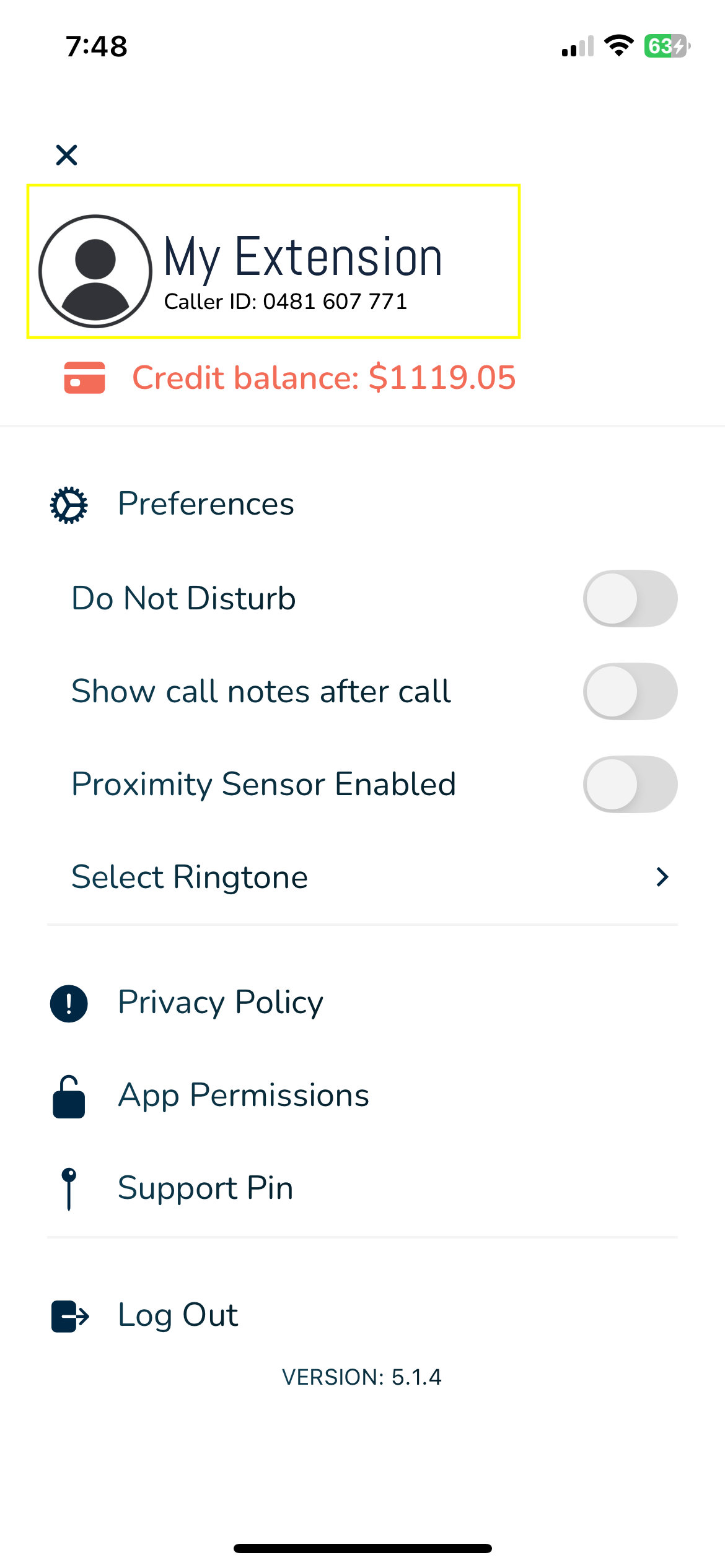
Tap your user name at the top of the app.
-
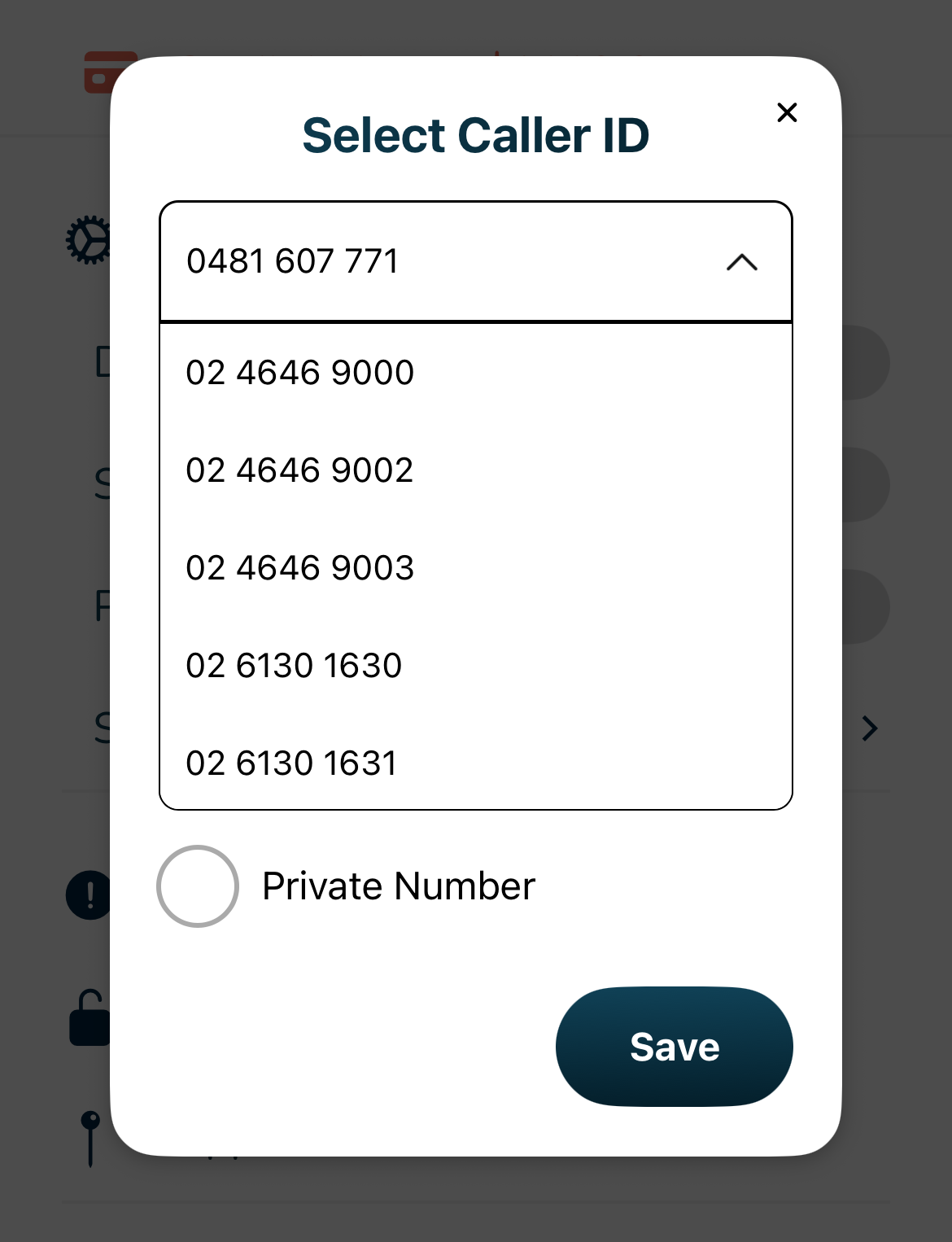
Your available numbers appear — every number the account owns except 1300 and 1800 numbers.
-
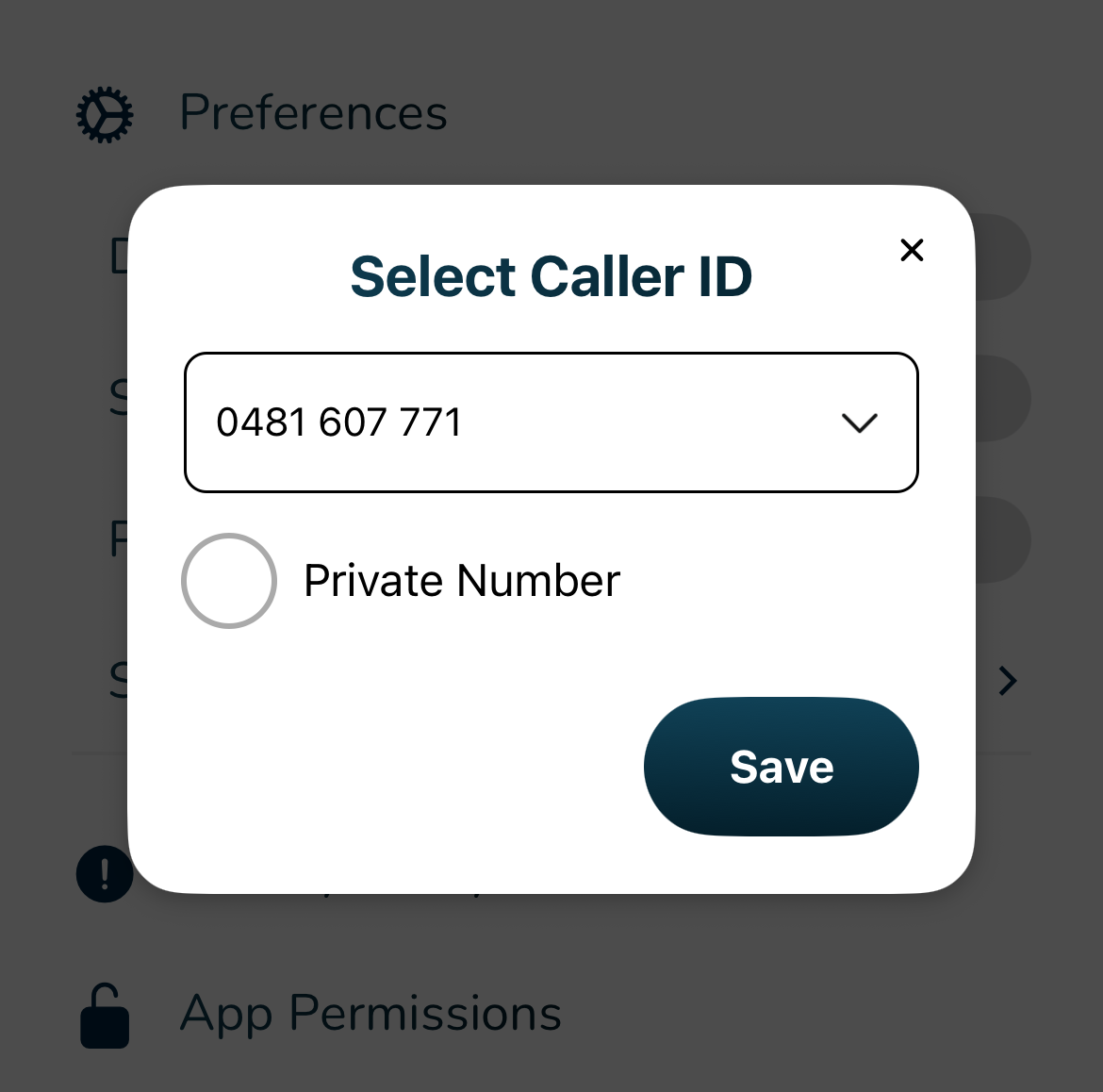
Select the caller ID you want to present, then tap Save.
¶ Caller ID on internal calls
When you call a colleague on the same account — by their extension or MyPBX short code — they see your internal (MyPBX) number, so internal calls are easy to recognise at a glance. If you don't have your own MyPBX number, they see your normal caller ID instead.